

COB USB LED Light Strip | Addressable 5 Volt LED Strip for Dotless Effects
ADS-YCOB-180RGBIC-5
Voltage: 5V
Power: 14W/M
Color: Digital RGB
PCB Width: 10mm
Length: 5m (16.4 ft)
Warranty: 5 years
Certificate: UL, UKCA, CE and RoHS
Power: 14W/M
Color: Digital RGB
PCB Width: 10mm
Length: 5m (16.4 ft)
Warranty: 5 years
Certificate: UL, UKCA, CE and RoHS
Quantity
Professional USB LED Light Strip Factory
As a specialized manufacturer, we produce high-quality USB LED strips and LED USB strip products for global markets. We focus on innovation, creating durable, reliable lighting like the USB LED strip waterproof and the individually addressable LED strip waterproof options. Whether you need a simple USB LED tape or an advanced USB programmable LED strip, our factory ensures every product, from the 5V USB LED light strip to the standard LED strip lights USB, meets rigorous quality standards.
With deep experience in USB strip LED light, RGB LED strips 5V, and USB power LED strip manufacturing, we provide stable quality, OEM services, and scalable production. From best LED light strips USB designs to USB individual addressable LED strip solutions, our factory supports innovation, safety, and consistency.
With deep experience in USB strip LED light, RGB LED strips 5V, and USB power LED strip manufacturing, we provide stable quality, OEM services, and scalable production. From best LED light strips USB designs to USB individual addressable LED strip solutions, our factory supports innovation, safety, and consistency.
Why USB LED Light Strips Are Changing Portable Lighting?
The convenience of USB powered LED strip lighting has revolutionized portable and accent illumination. Simply plug the USB LED light strip into any standard USB port—a computer, power bank, or TV—to light up your space. This portability makes the LED strip lighting USB ideal for quick setups. We offer the best USB LED strip lights, featuring high-quality components for consistent performance. This is the ultimate USB LED light strip solution for easy, flexible lighting.
What are RGBIC LED Strips?
RGBIC technology elevates the standard RGB strip by adding an integrated control chip (the"IC") for individual control of segments or single LEDs. Our advanced offerings include the LED RGBic strip and the robust RGBic LED strip outdoor models. These strips function as an advanced addressable LED light strip, allowing for multiple colors and effects to run simultaneously—unlike traditional RGB strips where only one color can display at a time.
What is a COB USB LED Light Strip?
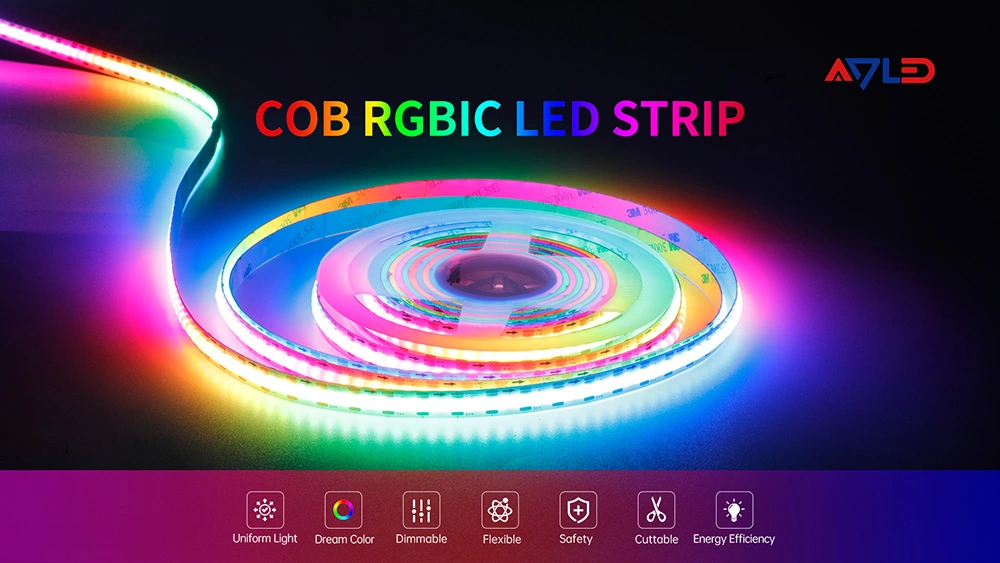
A COB (Chips-on-Board) USB LED light strip uses chips mounted directly onto the circuit board. This high-density structure provides a continuous, uniform light source, creating an elegant LED dotless strip. Our COB models offer the perfect combination of convenience and premium aesthetics, giving you a beautiful USB 5V LED strip light without visible hotspots.
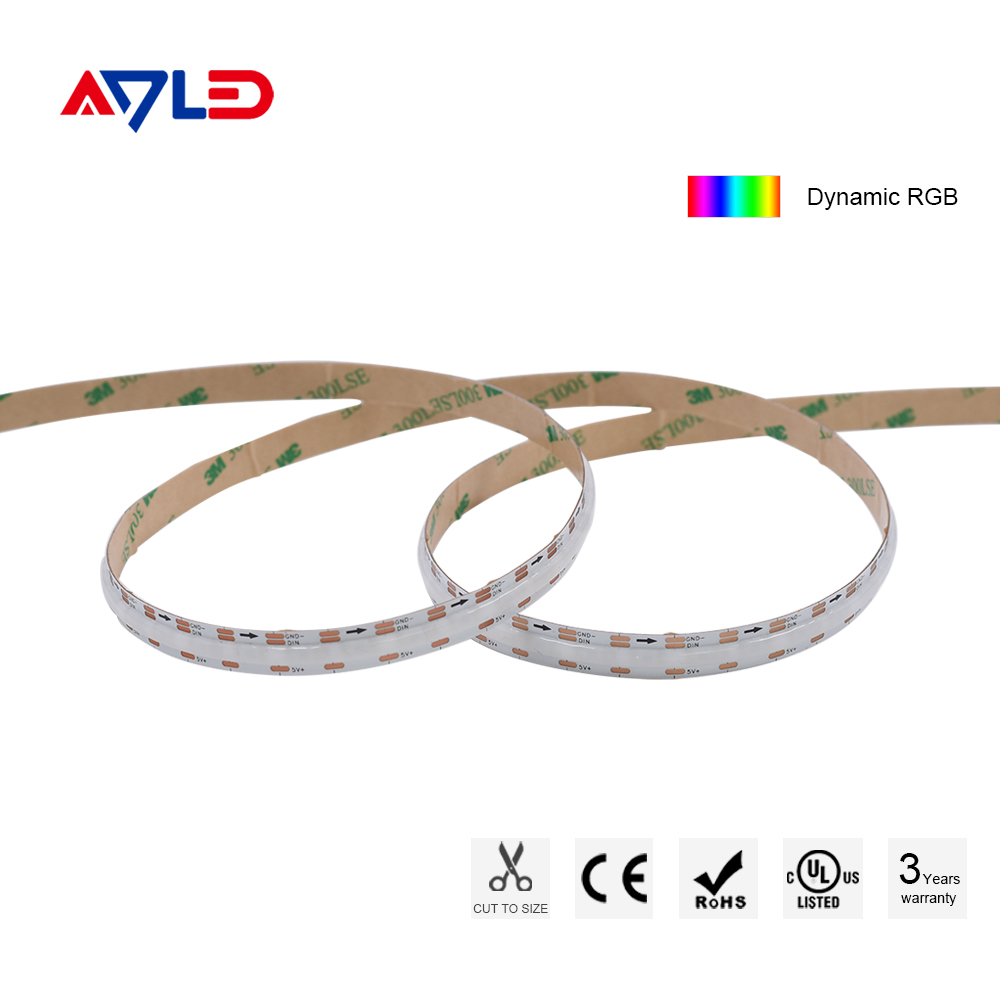
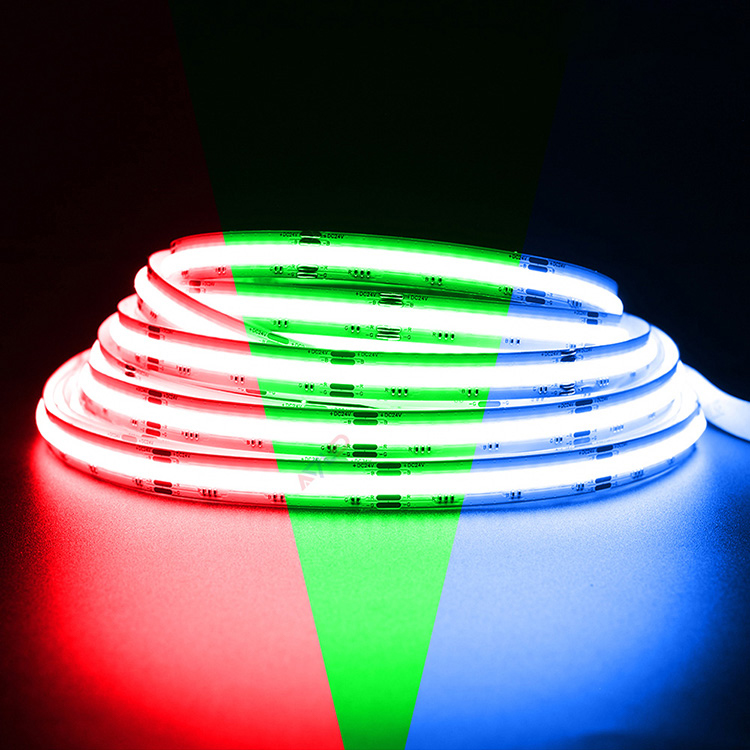
180Chips/m 5V Dynamic RGB Digital Color Changing COB LED Strip Light
USB LED Light Strip Specifications
Code | LED Type | Votage | LED QTY | Color | Watts | Lumen | Efficiency | Pitch | Width |
ADS-YCOB-180RGBIC | COB | DC5V | 60 | Red | 5.5W/m | 55Lm | 10Lm/W | 11.1mm | 10mm |
60 | Green | 5W/m | 200Lm | 40Lm/W | |||||
60 | Blue | 5W/m | 40Lm | 8Lm/W | |||||
180 | Mixed | 14W/m | 280Lm | 20Lm/W |
USB LED Light Strip Dimensions
DC5V

USB LED Light Strip Features
- Dynamic RGB digital color changing create festive illumination
- COB design, uniform, no spots light even without aluminum profile
- Top-tier raw materials, durable longer lifespan
- Wide beam angle 180° for uniform seamless linear lights
- Standard packed in 5m(16.4ft) per roll, IP20/IP65/IP67/IP68 waterproof LED strips
- Color jumping or gradient controlled by LED strip controller
5 Volt LED Strip
Our strips are primarily built on the USB LED light strip platform, which is the standard voltage for USB power. This includes the classic LED strip RGB 5V and the specialized arduino LED strip 5V. The low-voltage nature of the USB LED light strip makes installation safe and simple. Whether you choose the basic LED strip lights USB powered or an advanced USB addressable LED strip, all are designed for seamless integration with readily available USB power LED strip sources.

Addressable LED Light Strip
The addressable LED light strip takes customization to the next level. Each LED, or small group of LEDs, can be controlled independently. This means you can create dynamic chase effects, flowing colors, and intricate patterns. Options include the individually addressable LED strip arduino compatible models and the high-performance best addressable RGB LED strip. You can control addressable LED strip effects using microcontrollers like Arduino (arduino 5V LED strip) for personalized, interactive lighting.

RGB LED Strip Wattage
The power consumption (wattage) of an RGB LED light strip USB or LED strip 5V RGB model is determined by the number of LEDs, the chip type, and the density. Since they are USB LED light strip products, the total current draw is crucial. A typical 5m LED strip USB might draw between 1A to 3A, depending on the controller and chip density. It’s important to match the USB powered smart LED strip wattage to the output capacity of your USB source.
USB LED Light Strip Installation
Setting up your customizable lighting solution is simple with our low-voltage strips. This guide covers the installation for both standard and advanced LED addressable strip lights.
1.Power and Placement for USB LED Light Strip
Easy Power: The USB LED light strip and LED USB light strip are designed for ultimate convenience. Simply plug the RGB LED strip 5V into any standard 5V USB port on a TV, computer, or power bank.
Easy Power: The USB LED light strip and LED USB light strip are designed for ultimate convenience. Simply plug the RGB LED strip 5V into any standard 5V USB port on a TV, computer, or power bank.
Surface Prep: Ensure the mounting surface is clean, dry, and free of dust. Peel the adhesive backing and firmly press the strip into place.
2.Wiring and Control (5V RGB Addressable Strips)
For dynamic lighting effects using the LED strip RGB addressable models, you will need to connect a controller:
For dynamic lighting effects using the LED strip RGB addressable models, you will need to connect a controller:
RGB 5V LED Strip Connection: Connect the strip's 3-pin or 4-pin input directly to your controller.
Arduino Integration: If you are using microcontrollers for advanced effects, connect the data pin from the LED strip 5V arduino to the required digital pin on your board. This allows you to program complex, dynamic patterns on the RGB 5V LED strip.
3.Testing and Finalizing
Test: Before securing the entire length, plug in the 5V USB LED strip light to ensure the entire strip lights up correctly and the controller is working.
Test: Before securing the entire length, plug in the 5V USB LED strip light to ensure the entire strip lights up correctly and the controller is working.
Secure: Once the light test is complete, finalize the placement.

COB LED Strip vs LED Strip
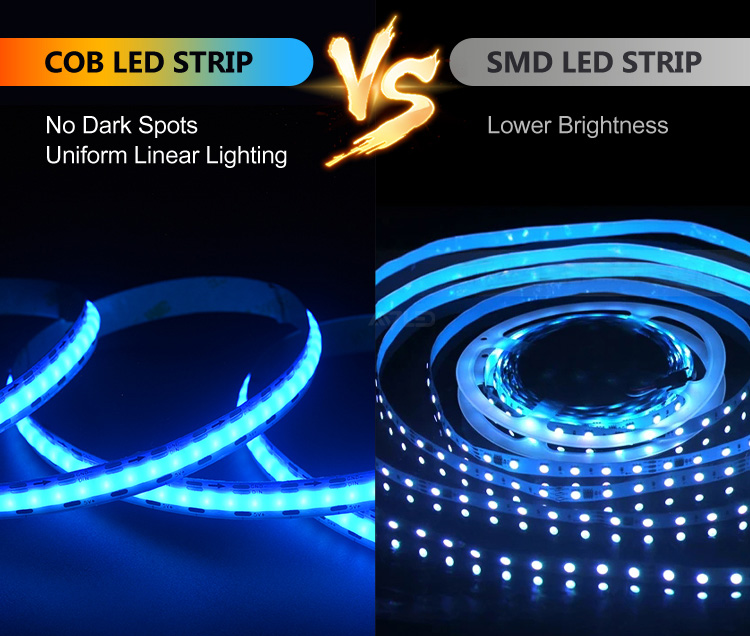
Traditional LED strips (SMD) and COB strips both function as a USB LED strip light. However, COB strips offer:
Dotless Light: Superior light quality (like the LED dotless strip).
Flexible Placement: Increased flexibility and easier installation.
High Density: More efficient light output, even in a compact LED strip 5V USB format.
Dotless Light: Superior light quality (like the LED dotless strip).
Flexible Placement: Increased flexibility and easier installation.
High Density: More efficient light output, even in a compact LED strip 5V USB format.
USB LED Light Strip Application
The USB LED light strips are incredibly versatile. They are perfect for:
Ambient TV Backlighting: Using the USB RGB LED light strip behind monitors and TVs.
Gaming Setups: Creating dynamic lighting with the USB addressable LED strip.
DIY Projects: Integrating the 5V RGB LED strip arduino for custom builds.
Portable Lighting: Using a power bank with the USB powered LED light strip.
Decorative Accents: Adding simple accent light with the LED strip USB 5V and LED strip lights USB.
Ambient TV Backlighting: Using the USB RGB LED light strip behind monitors and TVs.
Gaming Setups: Creating dynamic lighting with the USB addressable LED strip.
DIY Projects: Integrating the 5V RGB LED strip arduino for custom builds.
Portable Lighting: Using a power bank with the USB powered LED light strip.
Decorative Accents: Adding simple accent light with the LED strip USB 5V and LED strip lights USB.

ADLED Laboratory

Why COB Matters for USB LED Light Strip?
Choosing a COB USB LED light strip means choosing quality over basic function. The COB design ensures your USB LED light strip provides a clean, continuous line of light. This advanced structure makes the lighting look professional, especially in visible installations where standard SMD strips might look choppy or"dotted."
How to Power and Control a USB LED Light Strip?
Powering a USB LED strip is as simple as plugging the LED strip USB connector into any USB powered LED strip source. Controlling it varies: basic USB RGB LED strip models use an inline controller or remote, while advanced addressable strip LED models (like the USB LED RGB 5V strip) are controlled via an external device, often an Arduino or other microcontroller (arduino 5V RGB LED strip).
USB LED Light Strip vs Traditional LED Strip
The main difference is voltage and power. Traditional strips are often 12V or 24V (12V or 5V LED strip consideration) and require a bulky AC-to-DC adapter. The USB LED light strip uses safe, ubiquitous 5 volt LED strip power, making it thinner, more flexible, and vastly more portable than its traditional counterpart.
Choosing the Right USB LED Light Strip for Your Project
When choosing the right USB LED light strip for your project, consider:
Feature | Basic (RGB) | Advanced (Addressable/IC) |
Control Type | Simple single color at a time (LED strip 5V) | Individual control, dynamic effects (individually addressable LED strip) |
Aesthetics | Visible dots | Smooth, LED USB strip light COB finish |
Compatibility | Simple plug-and-play (LED strip light USB) | Requires microcontroller (5V LED strip arduino) |
Application | Background ambient light | Complex gaming/DIY effects (best addressable RGB LED strip) |
We offer everything from simple strip LED USB products to complex 5m addressable LED strip solutions to ensure you find the perfect match.
USB LED Light Strip FAQ
How to connect USB cable to LED strip?
To connect a USB cable to a USB LED light strip, match the positive (+5V) and negative (GND) wires from the USB cable to the corresponding terminals on the USB LED light strip. Red is usually +5V and black is ground. Once connected, plug the USB into a power source such as a charger, laptop, or power bank.
How to wire LED strip to USB?
Wiring an LED strip to USB is straightforward when using a USB LED light strip designed for 5V input. Strip the insulation from the USB cable, connect the power wires to the USB LED light strip, and secure the connection with solder or connectors. Always confirm voltage compatibility before powering on the USB LED light strip.
How to power 12V LED strip with USB?
A standard USB LED light strip operates at 5V, so a 12V LED strip cannot be powered directly by USB. To power a 12V strip using USB, you must use a step-up (boost) converter that increases 5V to 12V. Without a converter, connecting USB directly can result in insufficient brightness or no output.
How to install USB LED strip lights?
Installing a USB LED light strip involves cleaning the surface, cutting the strip to length (if supported), and mounting it using adhesive backing or clips. After installation, plug the USB LED light strip into a USB power source and test the lighting before final placement.
Can i power LED strip with USB?
Yes, as long as it is a USB LED light strip designed for 5V operation. USB power is ideal for short runs and low-power lighting. Always check the power rating to ensure the USB source can supply enough current for the USB LED light strip.
How to use USB LED light strips?
To use a USB LED light strip, simply plug it into a USB port, power bank, or adapter. Some USB LED light strip models include inline switches, dimmers, or controllers for brightness and color control, making them perfect for desk lighting, cabinets, and decorative use.
How to power LED strip lights with USB?
Powering LED strip lights with USB requires a USB LED light strip or a compatible 5V LED strip. Connect the strip to a USB cable and plug it into a stable power source. For longer or brighter setups, ensure the USB output provides enough current to support the USB LED light strip.
How to connect USB LED strip?
Most USB LED light strip products come with a pre-installed USB connector. If not, connect the power wires correctly and insulate them securely. Once connected, plug the USB LED light strip into a USB outlet and verify that it lights up evenly.
How to connect RGB LED strip to USB?
To connect an RGB strip to USB, use an RGB USB LED light strip with a compatible controller. The controller manages color signals while the USB supplies 5V power. Never connect an RGB LED strip directly to USB without a controller, as this may damage the USB LED light strip or prevent proper color control.
Are RGBIC LED strips better than RGB LED strips?
For dynamic and intricate lighting, yes, RGBIC is generally considered better due to its ability to display multiple colors and create complex animations. However, RGB LED strips are simpler and more affordable for basic color washes.
Can RGBIC LED strips be cut?
Generally, no. Cutting RGBIC LED strips can damage the individual control circuitry and cause malfunctions. Unlike RGB LED strips with designated cut lines, RGBIC LED strips typically lack this feature due to the integrated IC chips. Always check the manufacturer's instructions before attempting to cut an RGBIC LED strip.
Can you connect RGBIC LED strips together?
Connecting RGBIC LED strips can be problematic and is often not recommended. Power limitations, signal issues with the individual control, and potential app recognition problems can arise. Some newer models might offer limited connectivity features, but always consult the manufacturer's guidelines for your specific LED strip.
Can RGBIC LED strips display warm white?
Yes, some RGBIC LED strips can simulate a warm white light by mixing the red, green, and blue LEDs. However, the quality of the white light might not be as pure as that from dedicated white LEDs found in RGBW LED strips. Some newer RGBIC products are specifically designed to produce a better warm white.
Do RGBIC LED strips require a special controller?
Yes, RGBIC LED strips require a compatible controller that can send individual signals to the IC chips on the LED strip. These controllers are often built-in or come included with the LED strip and are typically controlled via a smartphone app or remote.


/5